
Indicators
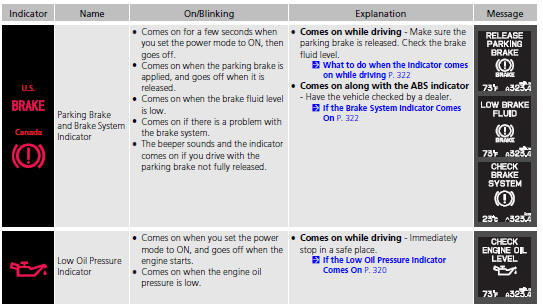
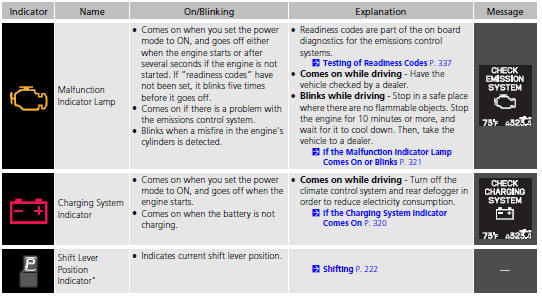
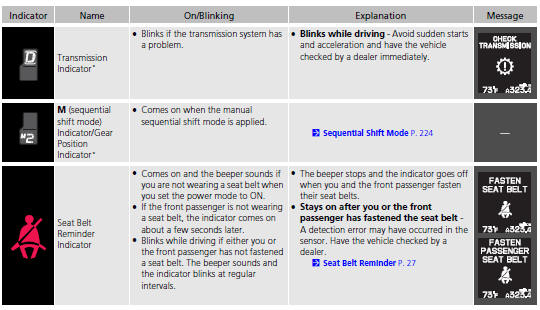
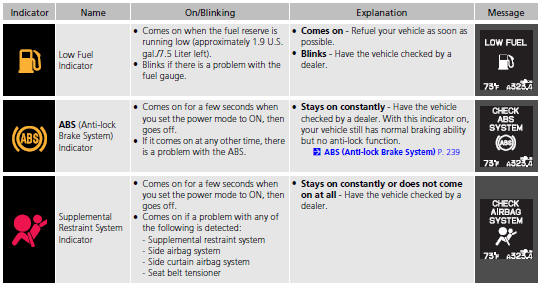
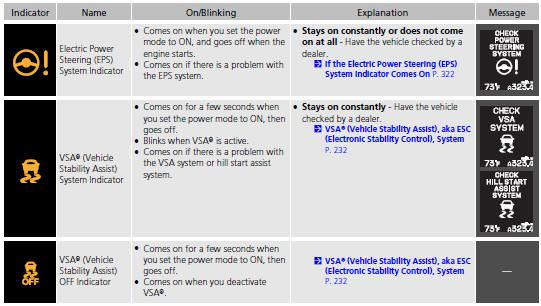
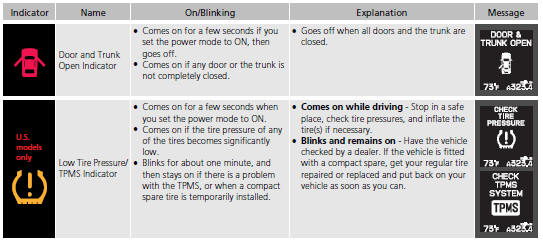
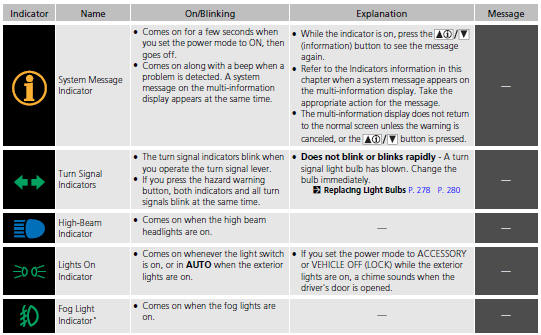
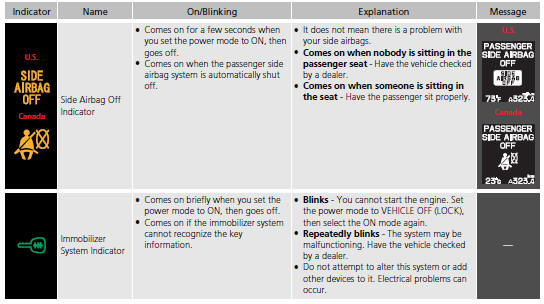
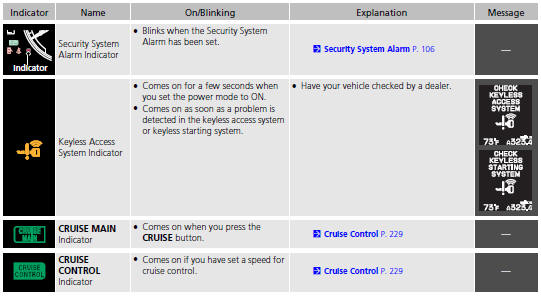
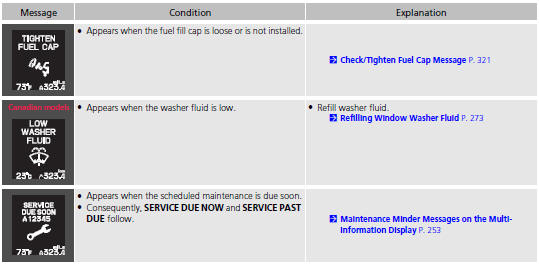
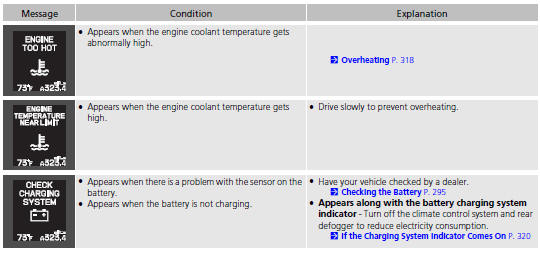
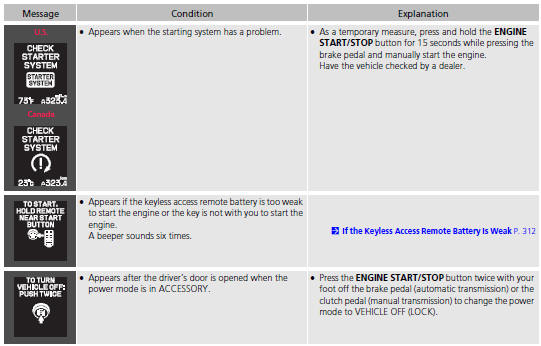
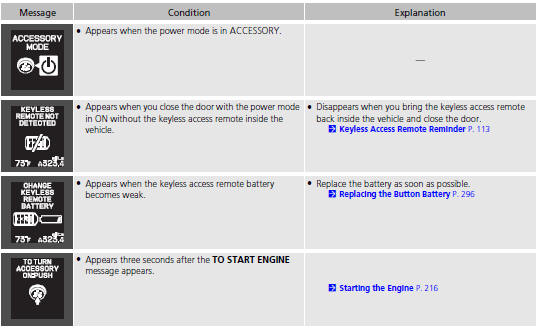
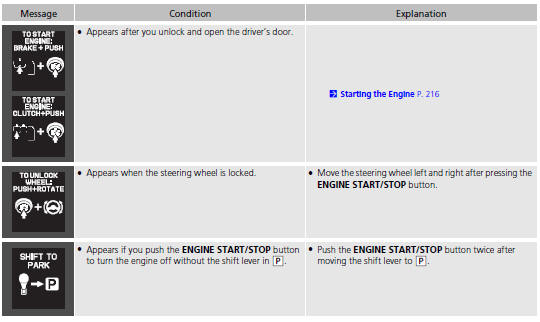
Multi-Information Display Warning and Information Messages.
The following messages appear only on the multi-information display. Press
the  /
/
 (information) button to see the
message again
with the system message indicator on.
(information) button to see the
message again
with the system message indicator on.
See also:
Side Airbag Off Indicator
If the side airbag off indicator comes on, have the passenger sit upright. A
few
seconds after the passenger is sitting properly, the side airbag will
automatically be
turned on, and the indicat ...
Tire Labeling
The tires that came on your vehicle have a
number of markings. Those you should be
aware of are described below.
Tire Sizes
Whenever tires are replaced, they should be replaced with tires of the ...
Exhaust Gas Hazard
Carbon Monoxide Gas
The engine exhaust from this vehicle contains carbon monoxide, a colorless,
odorless, and highly toxic gas. As long as you properly maintain your vehicle,
carbon
monoxide gas ...
