
Indicators
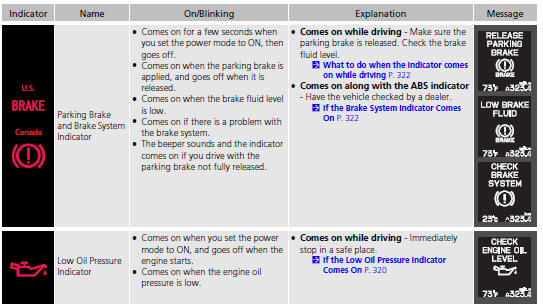
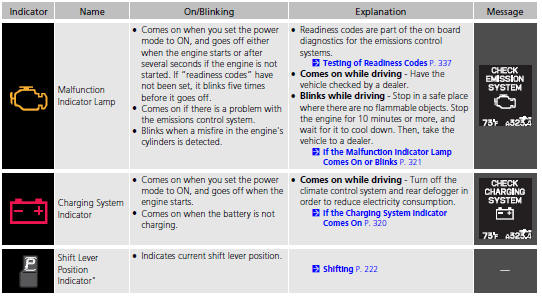
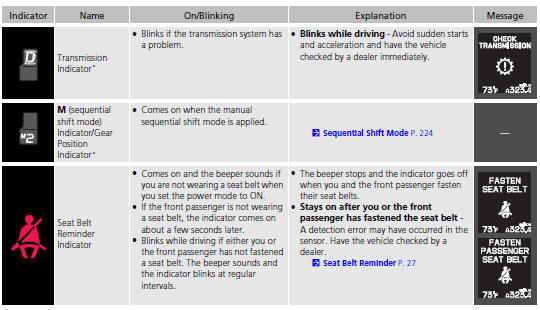
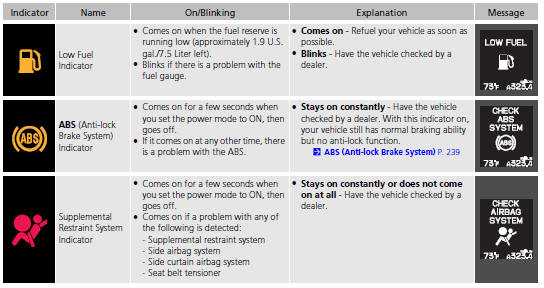
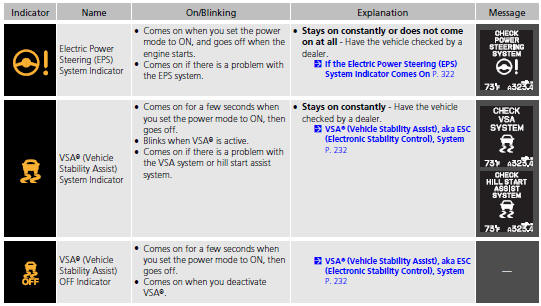
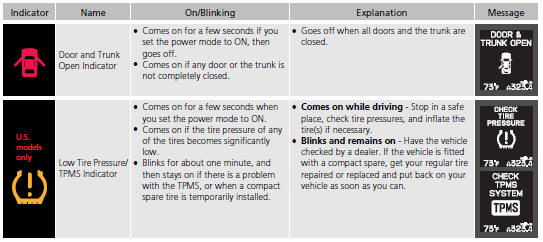
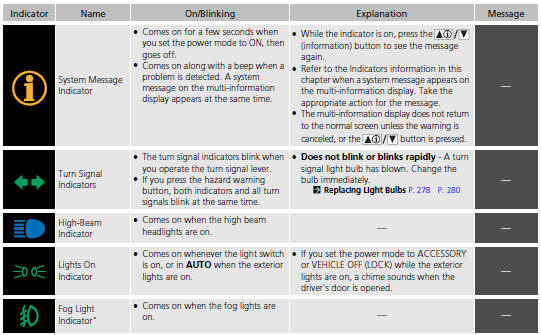
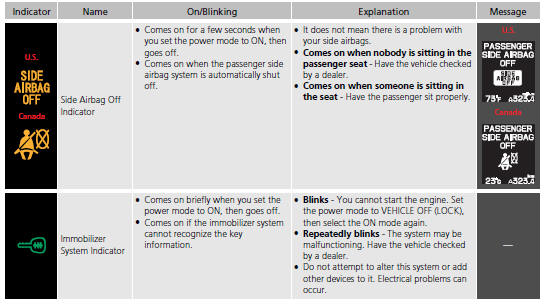
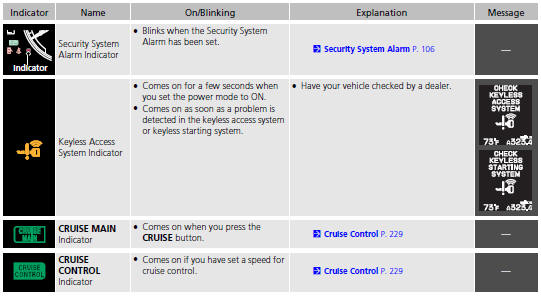
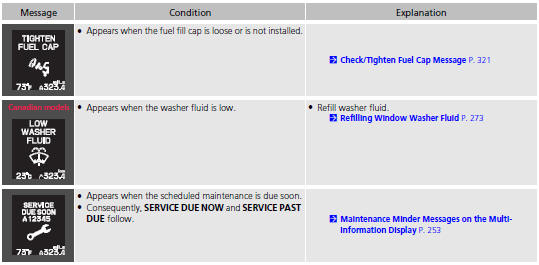
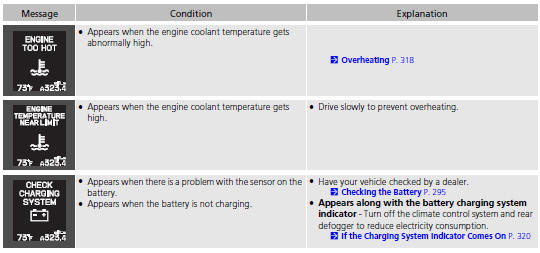
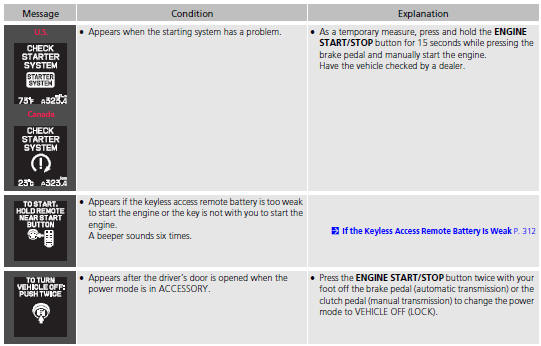
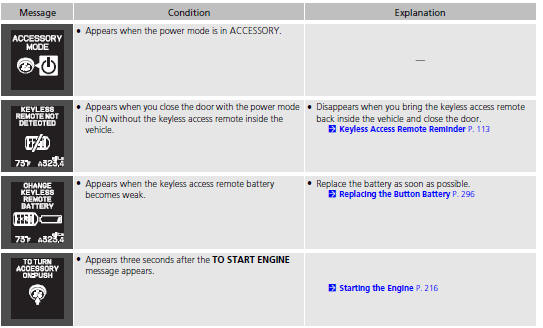
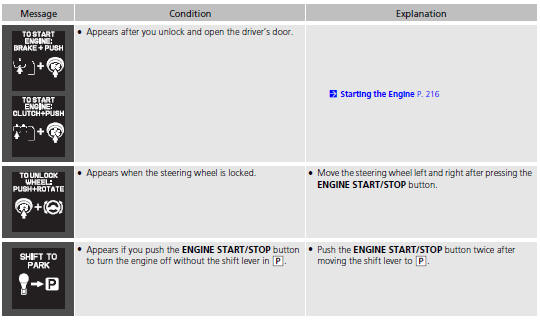
Multi-Information Display Warning and Information Messages.
The following messages appear only on the multi-information display. Press
the  /
/
 (information) button to see the
message again
with the system message indicator on.
(information) button to see the
message again
with the system message indicator on.
See also:
Brake System
Parking Brake
Use the parking brake to keep the vehicle stationary when parking.
To apply:
Pull the lever fully up without pressing the
release button.
To release:
1. Pull the lever slightly, ...
Auto Door Locking/Unlocking
Your vehicle locks all doors and unlocks the driver’s door automatically when
a
certain condition is met.
Auto Door Locking
Drive lock mode
All doors lock when the vehicle’s speed reaches ab ...
Brightness Control
When the power mode is in ON, you can use
the brightness control knob to adjust
instrument panel brightness.
Brighten: Turn the knob to the right.
Dim: Turn the knob to the left.
You will hear ...
